Uncategorized files
Jump to navigation
Jump to search
Showing below up to 50 results in range #1,851 to #1,900.
-
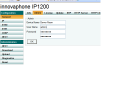 How to configure IP1200 Dect2.PNG 720 × 540; 25 KB
-
 How to configure IP1200 Dect3.PNG 1,097 × 540; 35 KB
-
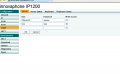 How to configure IP1200 Dect4.PNG 870 × 540; 27 KB
-
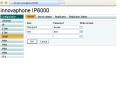 How to configure IP1200 Dect5.PNG 720 × 540; 25 KB
-
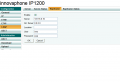 How to configure IP1200 Dect6.PNG 786 × 540; 22 KB
-
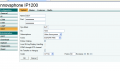 How to configure IP1200 Dect7.PNG 907 × 540; 33 KB
-
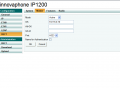 How to configure IP1200 Dect8.PNG 738 × 540; 23 KB
-
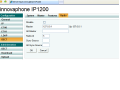 How to configure IP1200 Dect9.PNG 720 × 540; 27 KB
-
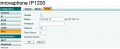 How to configure IP1200 ect13.PNG 763 × 311; 18 KB
-
 How to configure NAT in V6 Nat1.PNG 1,272 × 121; 8 KB
-
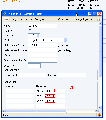 How to configure an e164 Numbering Scheme MSN registration.png 538 × 607; 26 KB
-
 How to configure an e164 Numbering Scheme MSN route.png 423 × 56; 2 KB
-

-
-
 How to create new articles 1.PNG 722 × 155; 33 KB
-
 How to create new articles 2.PNG 393 × 90; 4 KB
-
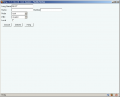 How to create new articles screenshots bad 01.PNG 808 × 651; 19 KB
-
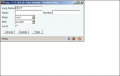 How to create new articles screenshots bad 02.PNG 628 × 396; 13 KB
-
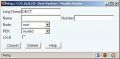 How to create new articles screenshots bad 03.jpg 441 × 216; 14 KB
-
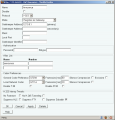 How to create new articles screenshots bad 04.png 460 × 479; 45 KB
-
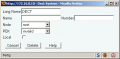 How to create new articles screenshots good 01.PNG 441 × 216; 10 KB
-

-
 How to implement large PBXs01.jpg 949 × 107; 24 KB
-
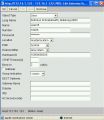 How to implement large PBXs02.jpg 485 × 559; 62 KB
-
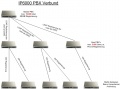 How to implement large PBXs03.jpg 685 × 507; 83 KB
-
 How to install widgets license-1.png 398 × 138; 8 KB
-
 How to install widgets license-2.png 491 × 64; 8 KB
-
 How to install widgets new-filter.png 813 × 199; 21 KB
-
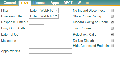 How to install widgets new-user-filter.png 484 × 255; 14 KB
-
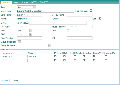 How to install widgets new-user.png 712 × 502; 75 KB
-
 How to install widgets realm.png 704 × 167; 65 KB
-
 How to install widgets visibility-PBX-Admin.png 902 × 106; 8 KB
-
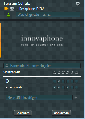 How to install widgets visibility-myPBX.png 276 × 387; 33 KB
-
-
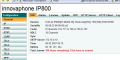 How to obtain a V6 test license Lic1.PNG 672 × 337; 197 KB
-
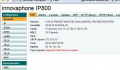 How to obtain a V6 test license Lic2.PNG 672 × 392; 208 KB
-
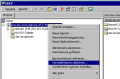 How to use the innovaphone DHCP client 01.PNG 490 × 323; 8 KB
-
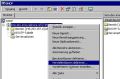 How to use the innovaphone DHCP client Dhcp1 conv.JPG 490 × 323; 34 KB
-
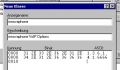 How to use the innovaphone DHCP client Dhcp2 conv.JPG 377 × 220; 17 KB
-
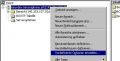 How to use the innovaphone DHCP client Dhcp3 conv.JPG 453 × 231; 22 KB
-
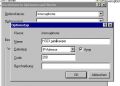 How to use the innovaphone DHCP client Dhcp4 conv.JPG 422 × 302; 22 KB
-
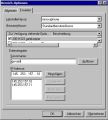 How to use the innovaphone DHCP client Dhcp6 conv.JPG 403 × 448; 36 KB
-
 How to use the innovaphone DHCP client Dhcp7 conv.JPG 397 × 220; 20 KB
-
 Howto-ACHAT - Authensis - 3rd Party Product - vendor logo.jpg 1,181 × 591; 67 KB
-
 Howto-Bria - Counterpath - SIP Testreport 1bria.png 531 × 628; 25 KB
-
 Howto-Bria - Counterpath - SIP Testreport 2bria.png 550 × 170; 9 KB
-
 Howto-Bria 3.x - Counterpath - SIP Testreport Bria 3 x.png 500 × 635; 33 KB
-
 Howto-Bria 3.x - Counterpath - SIP Testreport Bria 3 x cert.png 696 × 303; 28 KB
-
 Howto-Bria 3.x - Counterpath - SIP Testreport Bria 3 x codec.png 556 × 389; 26 KB
-
 Howto-Bria 3.x - Counterpath - SIP Testreport Bria 3 x inno.png 580 × 344; 15 KB


