Uncategorized files
Jump to navigation
Jump to search
Showing below up to 50 results in range #1,901 to #1,950.
-
 Howto-Bria 3.x - Counterpath - SIP Testreport Bria 3 x presence.png 497 × 356; 22 KB
-
 Howto-Bria 3.x - Counterpath - SIP Testreport Bria 3 x vm.png 500 × 360; 23 KB
-
 Howto-Bria 3.x - Counterpath - SIP Testreport Bria inactivity.png 708 × 319; 28 KB
-
 Howto-Bria 3.x - Counterpath - SIP Testreport Bria ldap.png 480 × 402; 25 KB
-
 Howto-Bria 3.x - Counterpath - SIP Testreport Bria ldap2.png 534 × 273; 20 KB
-
 Howto-Bria 3.x - Counterpath - SIP Testreport Bria srtp.png 377 × 189; 11 KB
-
 Howto-Bria 3.x - Counterpath - SIP Testreport Presence2.png 490 × 205; 13 KB
-
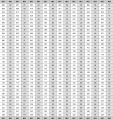 Howto-Debugging tools for DECT deployment Hex chart1.PNG 736 × 780; 82 KB
-
 Howto-Exchange Server 2007 - Microsoft - SIP Testreport Exch01.png 638 × 394; 22 KB
-
 Howto-Exchange Server 2007 - Microsoft - SIP Testreport Exchange.png 611 × 403; 22 KB
-
 Howto-GN Netcom Headsets Handout.pdf ; 3.86 MB
-
 Howto-How to configure NAT in V6 Nat03.PNG 497 × 254; 6 KB
-
 Howto-How to configure NAT in V6 Nat04.PNG 499 × 253; 6 KB
-
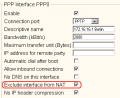 Howto-How to configure NAT in V6 Nat05.PNG 348 × 284; 6 KB
-
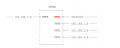 Howto-How to configure NAT in V6 Nat07.PNG 549 × 219; 6 KB
-
 Howto-How to configure NAT in V6 Nat2.PNG 1,271 × 79; 5 KB
-
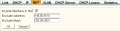 Howto-How to configure NAT in V6nNat06.PNG 577 × 149; 4 KB
-
-
-

-
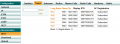 Howto-IP1200 with Astersik3 .PNG 790 × 288; 22 KB
-
 Howto-IP1200 with Astersik 1.PNG 1,028 × 544; 37 KB
-
 Howto-IP1200 with Astersik 2.PNG 589 × 369; 20 KB
-
 Howto-IP1200 with Astersik 2 1.PNG 596 × 305; 18 KB
-
 Howto-Installing the innovaphone mrs 6.01 (voice mail) Mrs.PNG 620 × 447; 21 KB
-
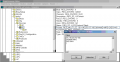 Howto-Installing the innovaphone mrs 6.01 (voice mail) Mrs2.PNG 864 × 444; 26 KB
-
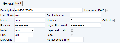 Howto-Mobility GSM Client for Windows Mobile Trunk gsm.png 579 × 206; 11 KB
-
-
 Howto-Multiple PBX Redundancy Layer2.png 945 × 733; 61 KB
-
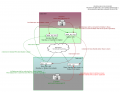 Howto-Multiple PBX Redundancy Layer3.png 1,137 × 868; 80 KB
-
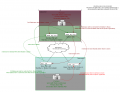 Howto-Multiple PBX Redundancy No multicast.png 1,137 × 870; 85 KB
-
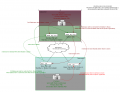 Howto-Multiple PBX Redundancy No multicast2.png 1,137 × 870; 85 KB
-
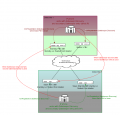 Howto-Multiple PBX Redundancy No multicast V9.png 886 × 849; 69 KB
-
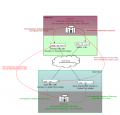 Howto-Multiple PBX Redundancy No multicast V9 1.png 886 × 849; 69 KB
-
 Howto-Multiple PBX Redundancy Reg.png 454 × 94; 3 KB
-
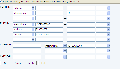 Howto-NeoTel SIP Provider Compatibility Test Neotel1.png 664 × 381; 20 KB
-
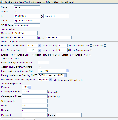 Howto-NeoTel SIP Provider Compatibility Test Neotel2.png 708 × 718; 45 KB
-
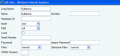 Howto-Polycom Soundstation IP 4000 Poly2.PNG 624 × 289; 15 KB
-
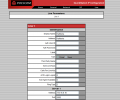 Howto-Polycom Soundstation IP 4000 poly1.PNG 827 × 686; 30 KB
-
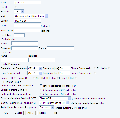 Howto-Quescom Mobility Services Pack - SIP TestreportQuescom 2.png 689 × 675; 43 KB
-
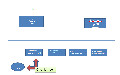 Howto-Quescom Mobility Services Pack - SIP Testreport Quescom 1.png 1,075 × 673; 23 KB
-
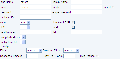 Howto-Quescom Mobility Services Pack - SIP Testreport Quescom 10.png 602 × 296; 16 KB
-
 Howto-Quescom Mobility Services Pack - SIP Testreport Quescom 11.png 817 × 225; 14 KB
-
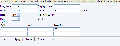 Howto-Quescom Mobility Services Pack - SIP Testreport Quescom 12.png 713 × 276; 15 KB
-
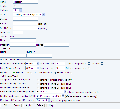 Howto-Quescom Mobility Services Pack - SIP Testreport Quescom 2.png 733 × 665; 43 KB
-
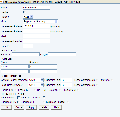 Howto-Quescom Mobility Services Pack - SIP Testreport Quescom 3.png 672 × 654; 34 KB
-
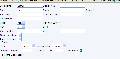 Howto-Quescom Mobility Services Pack - SIP Testreport Quescom 4.png 726 × 357; 22 KB
-
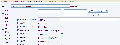 Howto-Quescom Mobility Services Pack - SIP Testreport Quescom 5.png 813 × 304; 23 KB
-
 Howto-Quescom Mobility Services Pack - SIP Testreport Quescom 6.png 858 × 263; 20 KB
-
 Howto-Quescom Mobility Services Pack - SIP Testreport Quescom 7.png 652 × 497; 25 KB


_Mrs.PNG)
_Mrs2.PNG)


